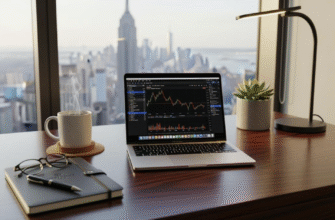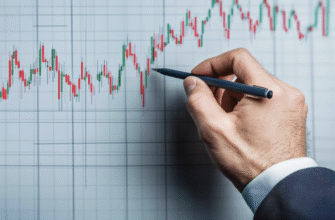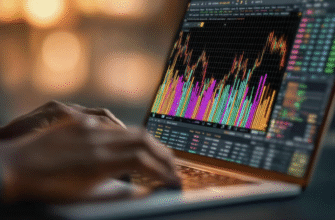
Most beginner traders spend hours searching for the perfect strategy, the best indicator, or the most accurate entry signal but they completely overlook the tool they use every single day: their chart settings. A poorly configured chart is like driving a car with a dirty windshield. You might still get where you are going, but you will miss important details, react more slowly, and increase your risk of a crash.
Good chart settings do not make you a profitable trader by themselves, but bad chart settings can absolutely prevent you from succeeding. A clean, well-organized workspace helps you read price action quickly, spot key levels at a glance, and execute your plan without hesitation. A cluttered, confusing workspace leads to analysis paralysis, missed opportunities, and impulsive decisions.
For prop traders, the stakes are even higher. You are trading under drawdown constraints and time pressure. Every second counts. A well-optimized TradingView setup is not a luxury — it is a competitive advantage.

- The Core Principles of a Good TradingView Setup
- Clarity
- Speed
- Consistency
- Recommended Chart Settings
- Candles and Colors
- Grid and Background
- Timeframe Presets
- Watchlists, Alerts, and Layout Organization
- Best Indicator Setup Without Chart Clutter
- Sample TradingView Layout for Prop Traders
- Common Setup Mistakes
- Key Takeaways
- FAQ
- What are the best TradingView settings for beginners?
- Should day traders use multiple charts?
- Which indicators should stay on the screen by default?
- Are dark or light charts better?
- How do prop traders keep charts clean?
- Integrating TradingView with Your Trading Workflow
The Core Principles of a Good TradingView Setup
Before diving into specific settings, it is important to understand the three core principles that guide every good TradingView setup:
Clarity
Your charts should be easy to read at a glance. Price action should be the focal point. Indicators, drawings, and UI elements should support your analysis, not compete with it. If you have to squint, scroll, or search to find important information, your setup lacks clarity.
Speed
Your workspace should enable fast decision-making. Switching between timeframes, adding symbols to your watchlist, setting alerts, and drawing levels should all be quick and intuitive. Every extra click or second of navigation is a potential missed opportunity.
Consistency
Your charts should look the same every day. Use templates to save your preferred settings so you always start from the same baseline. Consistency reduces cognitive load you are not re-learning your own workspace every session.
Recommended Chart Settings
Here are the specific chart settings that support clarity, speed, and consistency:
Candles and Colors
Use candlestick charts they provide the most information per unit of screen space. For colors, choose high-contrast combinations:
- Bullish candles: Green or white
- Bearish candles: Red or black
- Borders: Same color as body or slightly darker
- Wicks: Same color as body
Avoid using the same color for both bullish and bearish candles (e.g., hollow/filled in one color). The green/red contrast allows your brain to process direction instantly.
Grid and Background
A dark background (black or dark gray) reduces eye strain during long trading sessions and makes candlesticks stand out more clearly. Set the grid opacity to 0% or very low grid lines are rarely useful and mostly create visual noise.
For the background type, use Solid color, not Gradient. A uniform background is less distracting.
Timeframe Presets
Configure your timeframe toolbar to show only the timeframes you actually use. For day trading, the essential timeframes are: 1-minute, 5-minute, 15-minute, 1-hour, and 4-hour. Remove monthly, weekly, and 2-month timeframes from the toolbar they just add clutter.
Use keyboard shortcuts for quick timeframe switching: F12 for next higher timeframe, Shift+F12 for next lower.
Watchlists, Alerts, and Layout Organization
A well-organized watchlist and alert system are just as important as chart settings:
Watchlist Organization. Keep your watchlist small no more than 10-15 instruments. Organize them into folders: for example, “Forex Majors,” “Indices,” “Crypto.” Remove instruments you do not actively trade. A focused watchlist prevents analysis paralysis.
Alerts. Use alerts strategically, not excessively. Set alerts at key levels: your entry zones, stop loss levels, and major support/resistance. Use push notifications for immediate awareness and email alerts for less urgent levels. Avoid setting more than 5-7 active alerts at once too many notifications become noise.
Layout Organization. For day trading, a 2-chart layout works well: higher timeframe (1H or 4H) on top for trend context, lower timeframe (5M or 15M) on bottom for entry timing. For swing trading, use daily + 4H. Save your layout as a template so it persists across sessions.
Drawing Tools. Pin your most-used drawing tools to the toolbar: horizontal line, trendline, rectangle (for zones), and text. Remove tools you rarely use. This reduces toolbar clutter and speeds up your workflow.

Best Indicator Setup Without Chart Clutter
The best indicator setup is the simplest one that gives you the information you need. Here is a recommended approach:
Primary Chart (Entry Timeframe). Use 2 indicators maximum. A 20-period EMA for dynamic support/resistance and a 50-period EMA for trend direction. These two lines give you trend context without overwhelming the chart.
Secondary Chart (Context Timeframe). Use no indicators. This chart is for reading pure price action support, resistance, trends, and patterns. Indicators on the higher timeframe often lag and can distract from what price is actually doing.
Separate Panel. If you use momentum indicators like RSI or MACD, place them in a separate panel below the chart, not overlaid on price. This keeps the main chart clean and makes it easier to see price action.
Indicator Settings. Use default settings for standard indicators unless you have a specific reason to change them. The default RSI period of 14 and MACD settings of 12/26/9 are defaults for a reason they work well for most timeframes and instruments.
The goal is not to have the most indicators it is to have the right indicators. Every indicator on your chart should serve a specific purpose in your trading plan.
Sample TradingView Layout for Prop Traders
Here is a practical TradingView layout optimized for prop day trading:
Layout: 2-chart vertical layout. Top chart: 1-hour timeframe, no indicators, pure price action. Bottom chart: 5-minute timeframe with 20 EMA and 50 EMA.
Watchlist: 8 instruments maximum EURUSD, GBPUSD, USDJPY, XAUUSD, US30, NAS100, BTCUSD, ETHUSD. Organized in two folders: “Forex” and “Other.”
Alerts: 3-5 active alerts at key entry zones and stop loss levels. Push notifications enabled.
Drawing Tools: Horizontal line, trendline, rectangle, and text tool pinned to toolbar. All other tools hidden.
Template: Saved as “PropDayTrading” dark background, green/red candles, no grid, high-contrast lines.
This layout prioritizes speed and clarity. The higher timeframe gives trend context, the lower timeframe gives entry precision, and the minimal indicator setup keeps the focus on price action.
Common Setup Mistakes
Here are the most common TradingView setup mistakes and how to avoid them:
1. Too Many Indicators. A chart covered in lines, oscillators, and overlays is paralyzing, not informative. Limit yourself to 2-3 indicators maximum.
2. Too Many Timeframes. Viewing 6+ timeframes simultaneously creates conflicting signals. Stick to 2 timeframes: one for context, one for execution.
3. Too Many Drawn Lines. Marking every swing high and low creates a spiderweb. Focus on the most significant levels where price has reversed multiple times.
4. Bright, Distracting Colors. Neon colors and rainbow palettes look cool but hurt readability. Use a limited, high-contrast color palette.
5. Not Saving Templates. Rebuilding your chart every session is wasteful and inconsistent. Save a template and use it religiously.
6. Ignoring Alerts. Not using alerts means you must stare at charts constantly. Set alerts at key levels and free yourself to step away.
Key Takeaways
- Good chart settings are about clarity, speed, and consistency not aesthetics.
- Use candlestick charts with high-contrast colors (green/red or white/black).
- Dark background with no grid reduces eye strain and improves readability.
- Keep your watchlist small and focused. Organize with folders.
- Use alerts strategically at key levels, not excessively.
- Limit indicators to 2-3 that serve different purposes. Price action is more important.
- Save templates and layouts for consistency across sessions.
- Avoid common mistakes: too many indicators, too many timeframes, too many drawn lines.
FAQ
What are the best TradingView settings for beginners?
Start simple: candlestick chart, green/red colors, dark background, no grid. Use one timeframe (15-minute or 1-hour) and add a 20 EMA and 50 EMA. Keep your watchlist to 5-8 instruments. Save this as a template and stick with it until you are comfortable.
Should day traders use multiple charts?
Yes, but limit yourself to 2 charts. Use a higher timeframe (1H or 4H) for trend context and a lower timeframe (5M or 15M) for entry timing. More than 2 charts creates information overload and slows decision-making.
Which indicators should stay on the screen by default?
If you use indicators, the most useful defaults are the 20-period EMA (for dynamic support/resistance) and the 50-period EMA (for trend direction). Place them on your entry timeframe only. Your context timeframe should remain clean pure price action.
Are dark or light charts better?
Dark charts are generally better for traders who spend long hours in front of screens. They reduce eye strain and make candlesticks stand out more clearly. Light charts can work for short sessions or well-lit environments, but most professional traders prefer dark backgrounds.
How do prop traders keep charts clean?
Prop traders keep charts clean by: using templates to maintain consistency, limiting indicators to 2-3, removing old drawings at the end of each session, organizing watchlists into folders, and disabling unnecessary UI elements. The goal is always the same maximum information, minimum clutter.
Integrating TradingView with Your Trading Workflow
Your TradingView settings should support your entire trading workflow, not just chart analysis. Here is how to integrate the platform into a disciplined daily routine:
Pre-Market Routine. Start each session by loading your saved template and layout. Review your watchlist and update your levels based on overnight price action. Check the economic calendar for any high-impact events. Set alerts at your key entry and exit zones before the session begins.
During the Session. Let your alerts do the work do not stare at charts constantly. When an alert fires, analyze the setup, mark your levels, and plan your trade. Use the drawing tools to annotate your chart with entry, stop, and target levels. This visual plan keeps you accountable.
Post-Session Review. At the end of each day, clean up your charts. Remove old drawings that are no longer relevant. Review your trade history and note any patterns in your behavior. Save your template again to preserve any useful adjustments you made during the session.
Cross-Device Sync. TradingView syncs across devices automatically. Use this to your advantage set up alerts on your desktop, and receive notifications on your phone when you are away. However, avoid making trading decisions on mobile unless absolutely necessary. The small screen and limited tools increase the risk of errors.